

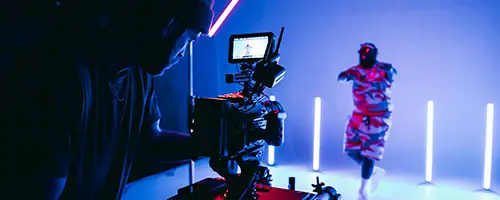


You’ve probably considered adding video to your podcast – but setting it up can be intimidating. If you’re thinking about taking your production to the next level with video, we’ve got you covered. We’ve created this quick and easy guide for setting up a video podcast.
Let’s start with the audio setup, then move to the video setup.
1. Set up for audio recording
Getting the audio right is really important, and luckily, the steps are pretty straightforward. First, connect the microphones to an audio recorder. Often the audio records onto an SD card.
We’ve made it easy here at Offshoot. Our Zoom PodTrak P8 Podcast Recorder is included when you hire Space 2, our audio-focused studio. This recorder can take up to 6 microphones here in the studio. It interfaces with computers so you can do Zoom calls or take phone calls like an old-fashioned radio call-in show.
All you have to do to record audio is plug in the microphones you need along with your SD card, and you’re good to go.
2. Set up cameras for video
Adding video really lifts the quality of our client’s work. Whether you’re a solo act or someone who likes a lot of guests, there are two basic approaches to capturing video for a podcast.
Single camera
A single camera captures you and your co-podcaster or guest in a single shot. While this is a step above an audio-only podcast, our take is that the real sweet spot is the multi-camera setup.
Multi-camera
With two cameras and two people, you can isolate each person in a separate shot. Set up a camera at an angle from the opposite side of each person. If you have more than two people, separate them into two groups so that one camera covers each group. For example, if you have four people, group two people in a shot. If you have three people, assign one camera to a group of two and the other camera to the remaining person.
If you’re a solo podcaster, a two-camera setup still has value. If each camera focuses on a different shot of you (for example, a wide shot and a close shot), your production is more interesting and dynamic. Editing is also easier when you always have another shot to cut to.
A three-camera setup gives you that same flexibility and visual interest when you have more than one person. Use the third camera to set up a wide shot of people and the set. In the editing, you can cut between people who are talking. You can go to a wider establishing shot when you need to capture a fast-paced, overlapping conversation. Three cameras also let you change angles during editing if you feel something is getting a bit bland or stale.

Connect to record
The next step is to connect the cameras to a video recorder.
At Offshoot, we use the ATEM Mini Pro. It has HDMI ports on the back for each camera. All video streams are recorded simultaneously, which makes editing a whole lot easier because you have the same timeline on all cameras.
If you book Space 2 with a studio assistant, then that person will monitor the video streams as they come into the Mini Pro and are recorded to an SSD.

4. Light the set
To avoid harsh lighting, use a lantern or softbox. The lantern goes around a light fixture and softens all the light falling off. The result is soft lighting that flatters the people in the frame.
Position the lighting fixture with the lantern so the light falls between the two people in the frame.
At Offshoot, we include a lantern or softbox with the studio hire.
5. Dress the background
The last step is to customise the set for your production.
Our large 70-inch screen can show a custom image if you want to brand what you’re shooting. The screen will show up, at least the edges of it, in every single shot, no matter your angle. We also have a three-roll electric backdrop system if you prefer for your background.
Consider adding additional lights around the space or using our curtains for visual interest. We also have decorative props that you can place around the set.
And that’s it – you’re ready for your vodcast! If you’d like to watch this process, we’ve made a short video.
Ready to hire studio space?
If you’re interested in hiring one of our studio spaces, use our easy online studio booking request. Any questions about hiring space or equipment – reach out to our friendly staff. Hope to see you soon!